SCOOTER’S EASY SEAS CLASSROOM
Home · offers and deadlines
Review active offers, expiration decisions, and the source behind each record.
CLICK A CONTROL TO LEARN ITS PURPOSE
Home · offers and deadlines
Practice guide · these buttons explain the app without changing your records.
1 / 18
Start with the offer deadline. The date you must book and the date you sail answer different questions.
TRY THIS IN EASY SEAS
Your next three steps
- Open Home and choose an offer.
- Check its source, owner, deadline, and eligible dates.
- Use View or Decode before making a booking decision.
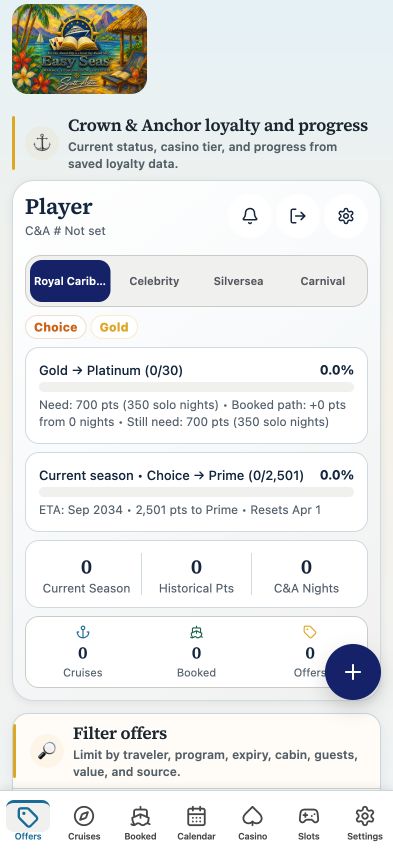
Your account may need sign-in first. The screenshot above is the matching tab view used for this lesson; the records and counts shown are illustrative visual evidence and can differ with your account.
THE COMPLETE LESSON REFERENCE
Every control in this lesson
- Search offers
- Type an offer name or code to narrow the active offer list.
- Offer details
- Open filters for expiration, cabin entitlement, guests, minimum recorded value, and source.
- Clear all
- Reset offer filters and search. This changes the view; it does not delete offers.
- Apply
- Close the filter sheet with the current selections applied.
- Active offers
- Select an offer to inspect eligible sailings and its recorded terms.
- Expiring offers
- Review deadlines in the 0–7, 8–14, and 15–30 day queues.
- View
- Open the selected offer record.
- More
- Reveal the remaining actions for that offer.
- Decode
- Inspect the recorded offer value breakdown.
- Compare
- Compare the offer with alternatives using the app’s planning tools.
- Archive
- Move an offer out of active decisions while retaining its record.
- Mark skipped
- Record that you chose not to use the offer.
- Ask
- Ask the assistant about the selected offer; confirm terms with the provider.
- Show next
- Load the next group of offers without changing existing records.
- Recent activity
- Open a cruise’s casino history and inspect its evidence label.
- Slots tools
- Open the machine and session workspace.
- Agent SEA
- Open questions across your saved data.
- Learn the system
- Open the in-app reference guide.
Reference checked against the current app source · October 3, 2026. Provider availability, permissions, and device capabilities can change which tools appear.